
The Portable Document Format (PDF) was developed by Adobe in 1992 and has since become an open standard maintained by the International Organization for Standardization (ISO). While Adobe Acrobat remains one of the most widely used tools for creating and managing PDFs, numerous other applications are available, each offering unique features and enhanced security options.
With PDFs being so widely used across industries and everyday tasks, the demand for password recovery and document unlocking solutions remains significant.
Understanding PDF encryption
PDF files feature two security options that can be used separately or in combination:
-
PDF User Password
(also called Document Open Password): This password prevents others from opening or viewing a PDF document. Once the User Password is set, it must be entered to open the file. If the entered password is incorrect, the document will not open. -
PDF Owner Password
(also called Permissions or Primary Password): This password restricts actions such as printing, copying content, editing, extracting pages, or commenting. Once the Owner Password is set, it is required to make changes to the PDF document or its permissions. The Owner Password can also be used to open the document.
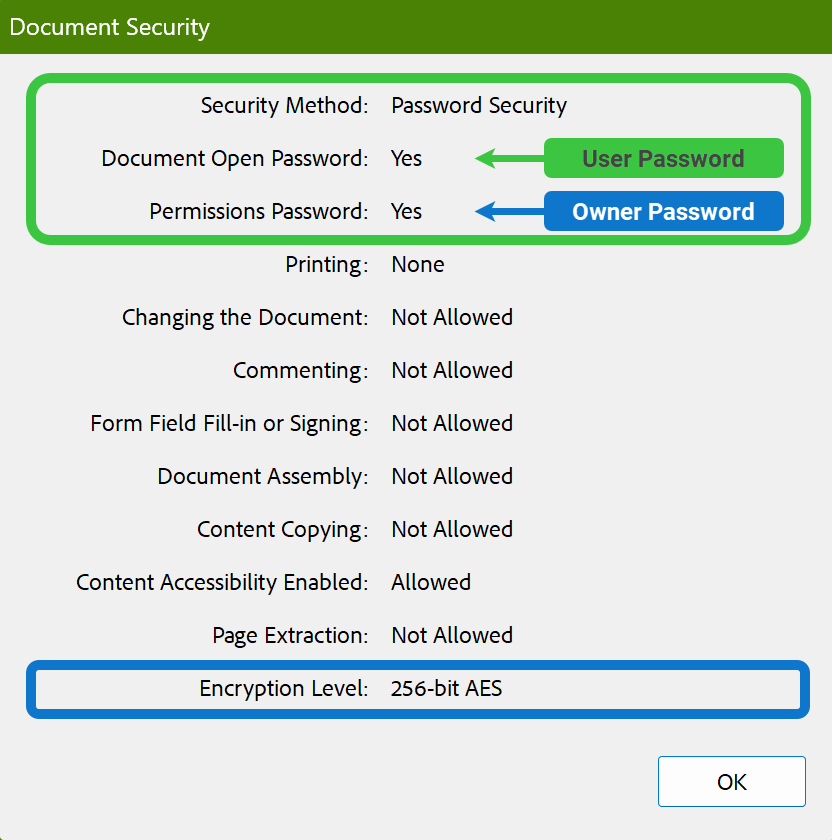
Over the years, as PDF security improved, encryption types evolved from weak RC4 40 and 128-bit keys to AES-128 and AES-256. Security measures were also revised several times through updates to the security handler. The higher the revision number, the stronger the file encryption and, consequently, the slower the password recovery speed.
The changes in PDF security are summarized in the following table:
Passware Tip: The “Hardware acceleration possible” flag is displayed by Passware Kit if the GPU can be used for password recovery:
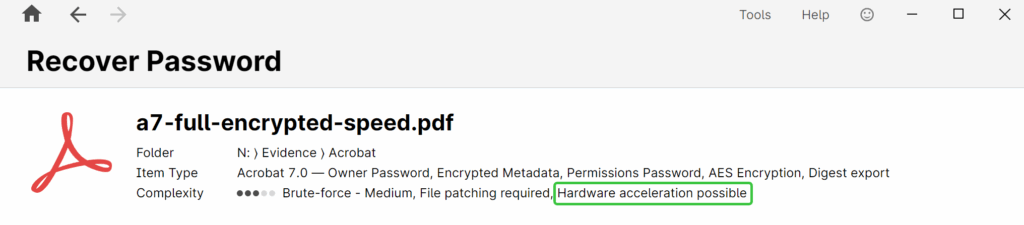
Using Passware Kit for PDF decryption
PDF password recovery is supported for files created with Acrobat versions 3-11 by PDF Key, Passware Kit Standard and higher editions.
Passware Tip: PDF files created using third-party tools may not be supported. Use the free
Passware Kit Demo to check compatibility.
Passware Kit instantly removes permission restrictions if no User Password is set, or once the User Password is recovered. It then creates an unprotected copy of the PDF file without any restrictions, leaving the original file unchanged.
Password recovery for Owner Password is supported in Passware Kit Business, Forensic, and Ultimate. This can be enabled in: Tools | Options | Batch Mode Settings | Acrobat PDF Settings.
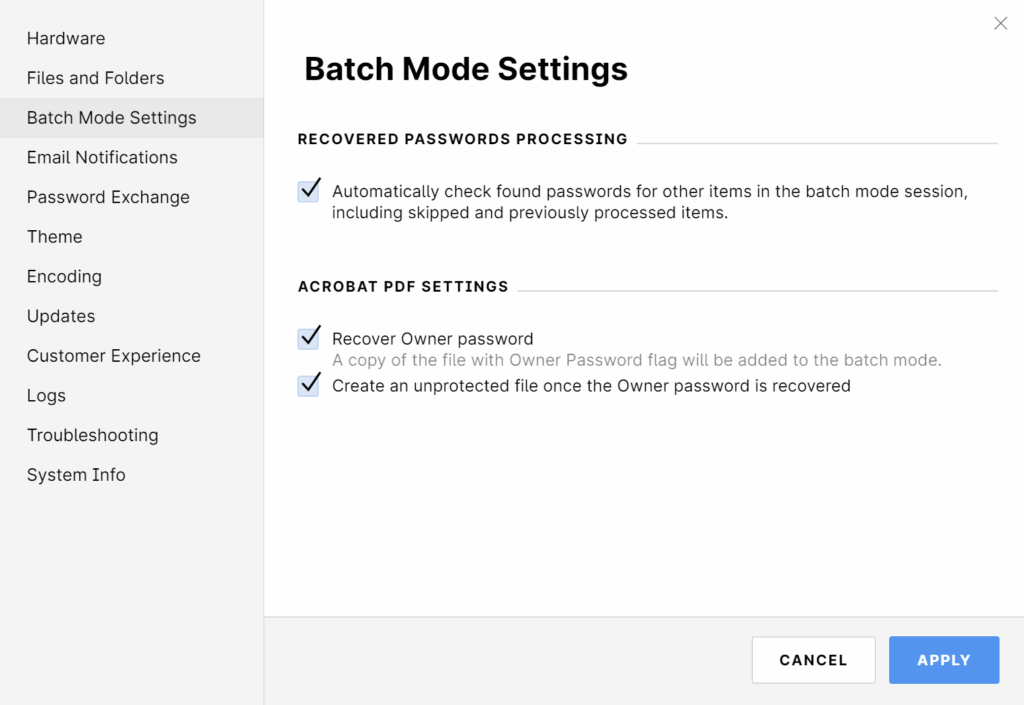
In batch mode, if the “Recover Owner password” option is enabled, Passware Kit will create two targets for the same PDF file: one for recovering the User Password and another for the Owner Password.
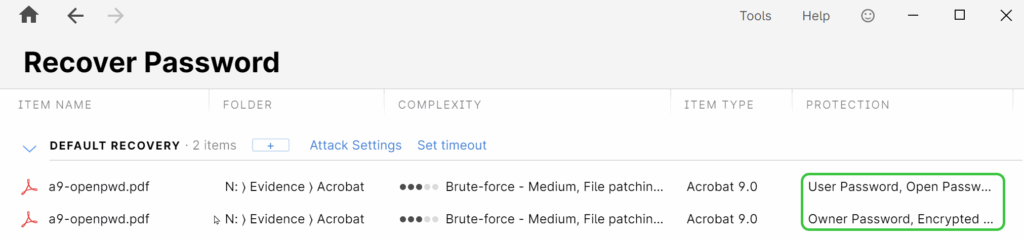
Passware Tip: In some cases, User and Owner passwords are identical. If the Owner Password is known, the User Password is not required to access the document or modify its permissions.
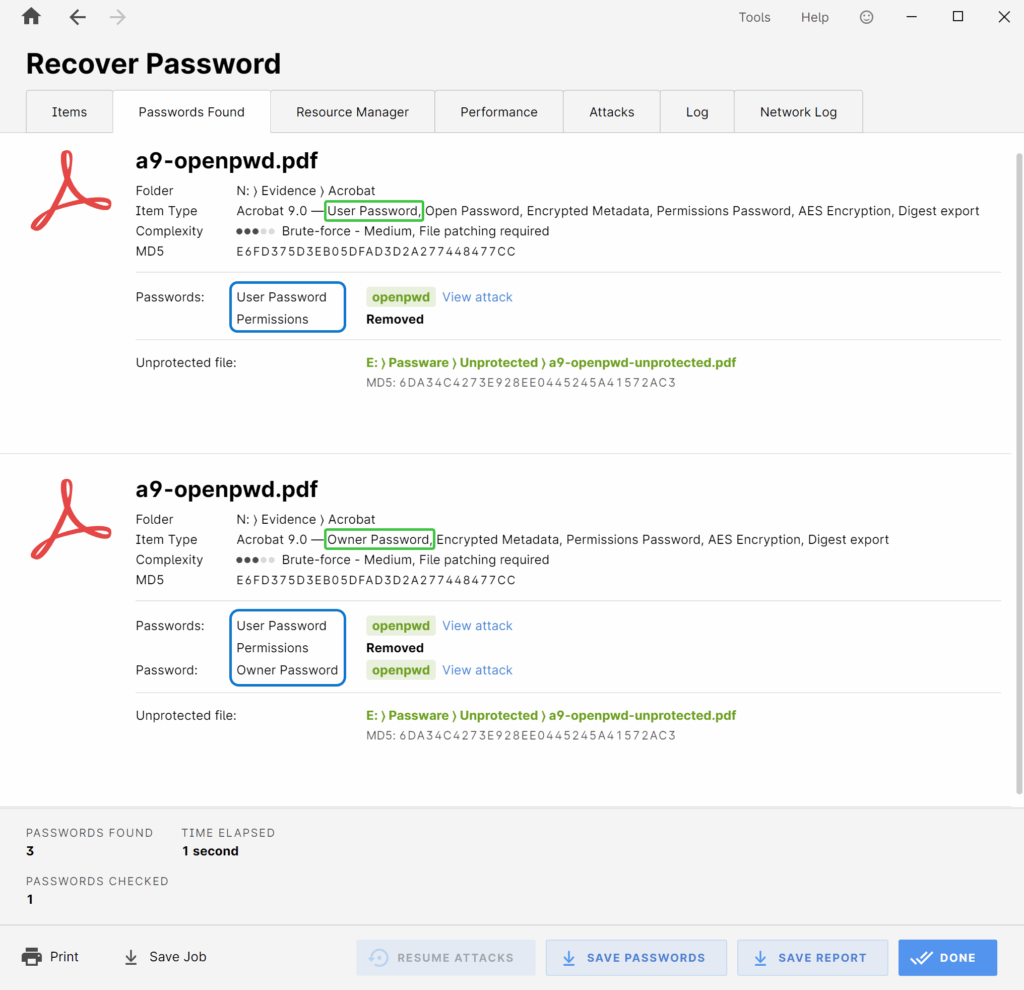
When using Passware Kit for PDF decryption, there are a few important nuances to keep in mind. For troubleshooting guidance, refer to the Knowledge Base article.
NOTE: In batch mode, the recovered Owner password is displayed on the “Items” tab as Open-Password. Check the exact type of the recovered password on the “Passwords Found” tab.
Troubleshooting
Q: Why do I get the message "This encryption is not supported" for my PDF file?
Some Acrobat documents are protected with a special certificate and can only be opened on the computer where this certificate is located. Such protection is commonly used in Adobe LiveCycle Rights Management using the Portable Document Rights Language. Another possibility is that the PDF file is an eBook or has DRM protection. Such files are not supported due to copyright violations.
Q: Passware Kit did not create an unprotected copy of my PDF file after password recovery. Why not?
Make sure that the following options are enabled in Passware Kit Tools | Options | Files and Folders:
- In the File Processing Folders section - Always create an unprotected file if a password is recovered
- In the Acrobat PDF Settings section - Create an unprotected file once the Owner password is recovered
If both options are enabled and no unprotected file was created, contact Support.
Q: Why were not all security settings removed for my PDF file?
Some PDF restrictions, such as “Changing the document”, are protected with a PDF Owner password and cannot be removed instantly. This password can only be recovered using the Brute-force approach with Passware Kit Business or higher.
Q: Why do I get the message "File format error” for my PDF file? It is also detected as “Slightly damaged”.
The structure of the file is different from the one supported by Passware Kit. This might be due to the PDF file being modified or created by third-party tools. Send the file in question to our Support for analysis.
Q: Why do I get the message "Unknown file format” for my PDF file?
The file structure does not correspond to the default PDF structure. It was most likely created with a third-party tool. Such files are not supported by Passware Kit.
Comments
0 comments
Article is closed for comments.